Voicy
UX/UI Design
Mobile Development
Backend Development
AI


A mobile app with stories read in a parent's own voice, for young children
Voicy is a solution made up of a mobile app, a book, and an interactive mascot, which lets children listen to stories read in their own parent’s voice. A parent records a short sample of their voice in the app, and AI technology uses it to generate a personalized narration. The finished stories can then be played in the app and through the mascot. This way, a parent’s voice can stay with the child even when the parent can’t be physically present, for example during a longer trip, at work, or in other situations where reading together isn’t possible.
- UX/UI Design
- Mobile Development
- Backend Development
- AI
The Voicy team needed a complete MVP of a mobile app that would make it quick to prepare a story using a parent’s voice. Recording the voice sample had to be easy and fast, and the generated voice had to sound natural, keeping the character and tone of the specific person. Once prepared, the audiobook had to be available right away, without having to regenerate the audio track on every playback.
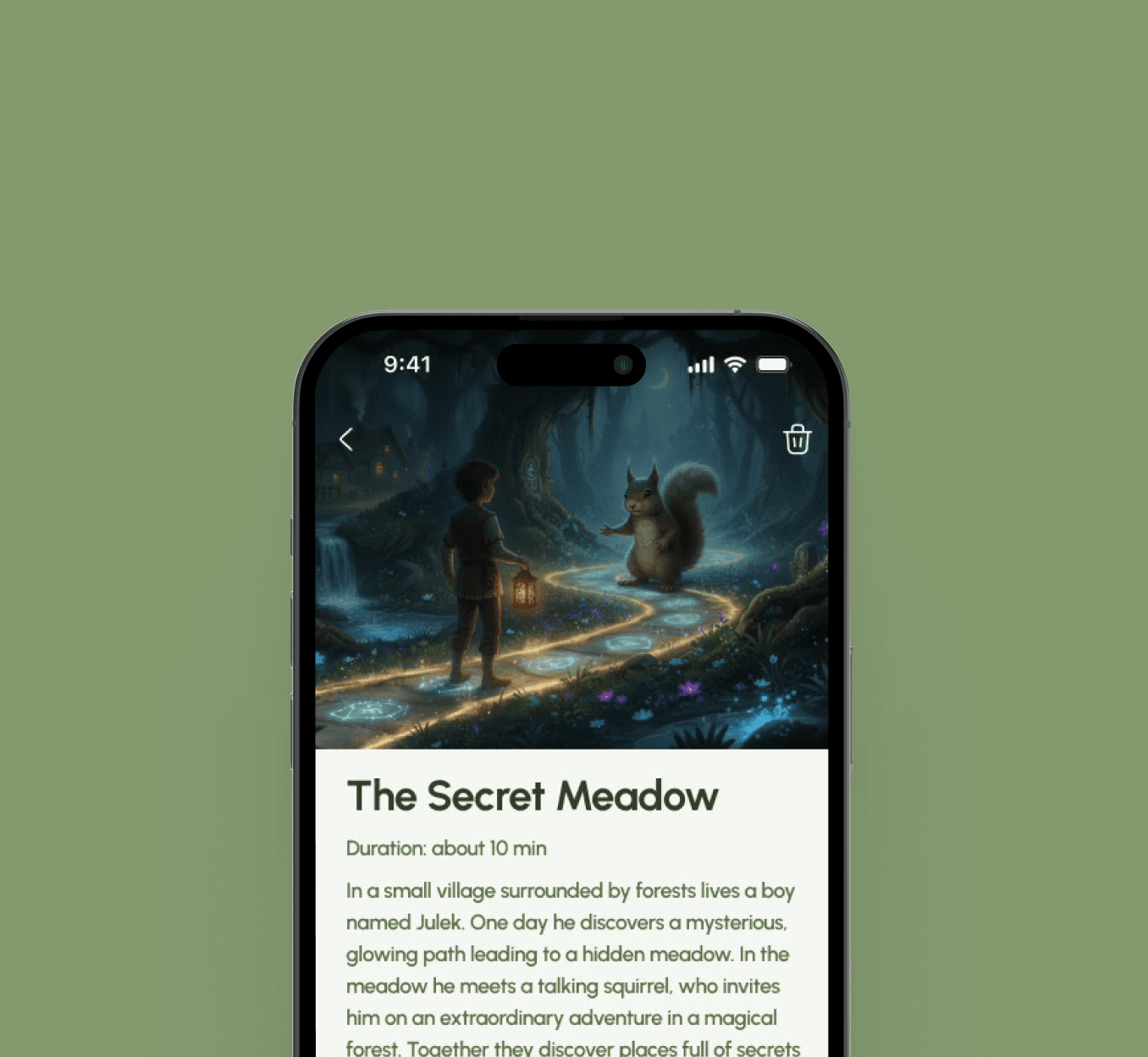
We built a functional app for the startup Voicy. A parent records a sample of their voice in the app, which is passed to an external AI tool, ElevenLabs. From it, a digital copy of the voice is created, which we then use to generate audiobooks. We save the finished recordings locally on the phone, so the user can return to their favorite stories without generating the voice again.
In the integration with ElevenLabs, we used our own parameter settings for generating the digital copy of the voice. We wanted the resulting narration to stay as close as possible to the original sample and not sound like a standard voice-over.
We chose to build our own backend in Nest.js rather than rely solely on serverless functions. Two things mattered to us: full control over how the story’s audio tracks are produced, and an app that responds right away. Solutions based on Firebase go into sleep mode after a longer period of inactivity, so a parent returning to the app after a break would wait noticeably longer for a story, which we wanted to avoid.
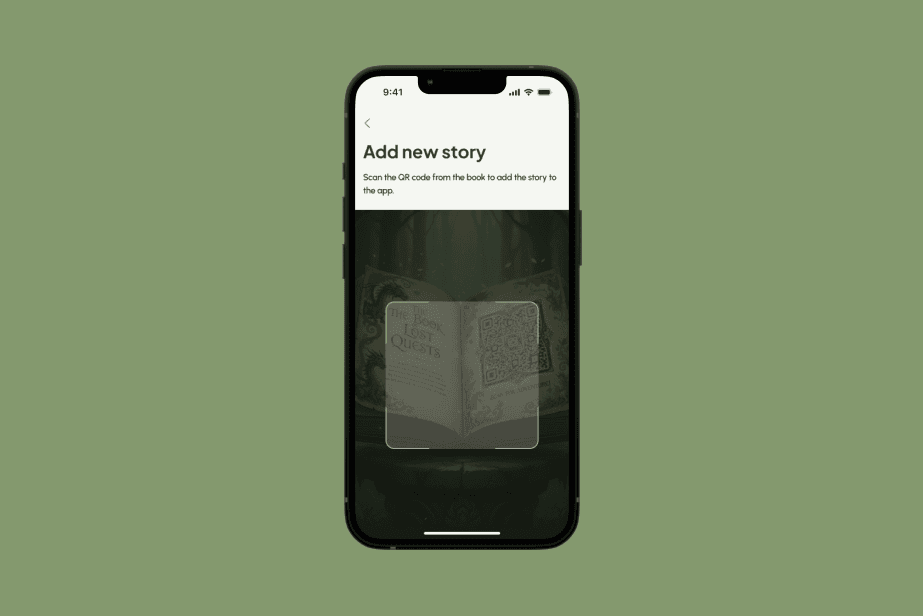
The app offers two voice profiles, mom and dad. Once a parent has created a digital copy of their voice, they add a new story by scanning a QR code placed on a sticker or on the book’s packaging. The QR code is tied directly to a specific physical product and leads to the matching story.
The app also works without the parent’s voice being prepared in advance. If the user hasn’t recorded a sample yet, the story is played in a default voice. This way a parent can try out how the product works straight away and set up their own voice later.
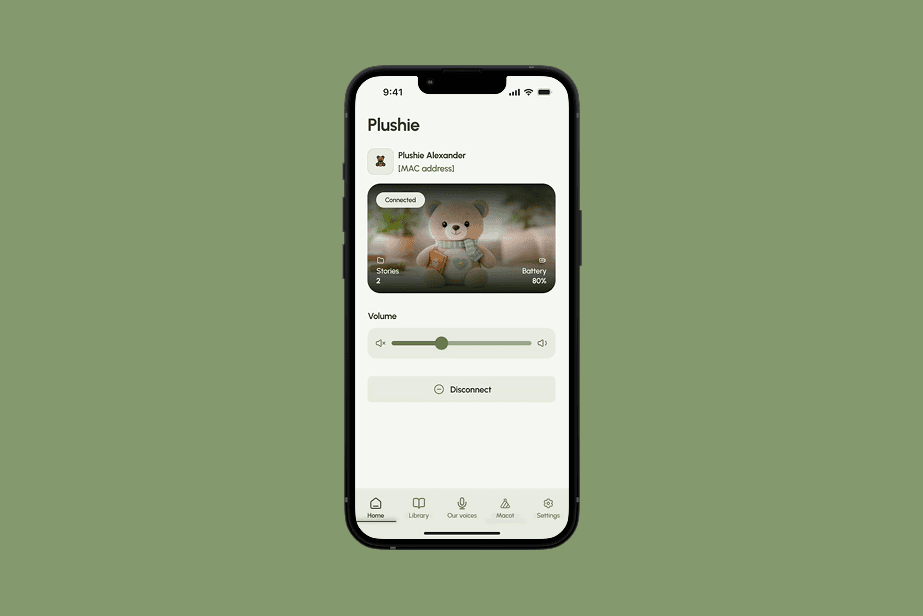
We also built the app’s connection to the mascot over Bluetooth Low Energy. We designed the pairing screen and tested the communication on a prototype of the device, which is ultimately meant to be built into the mascot. This let us verify the whole process, from recording the parent’s voice, through preparing the audiobook, to playing it back on the mascot.
We delivered a solid MVP of the mobile app, ready to grow in the stages ahead.
A mobile app that reads children stories in their parent's voice

Two voices in the family

Story library with a QR code

Offline playback

Stories in a parent's voice
Voice recording
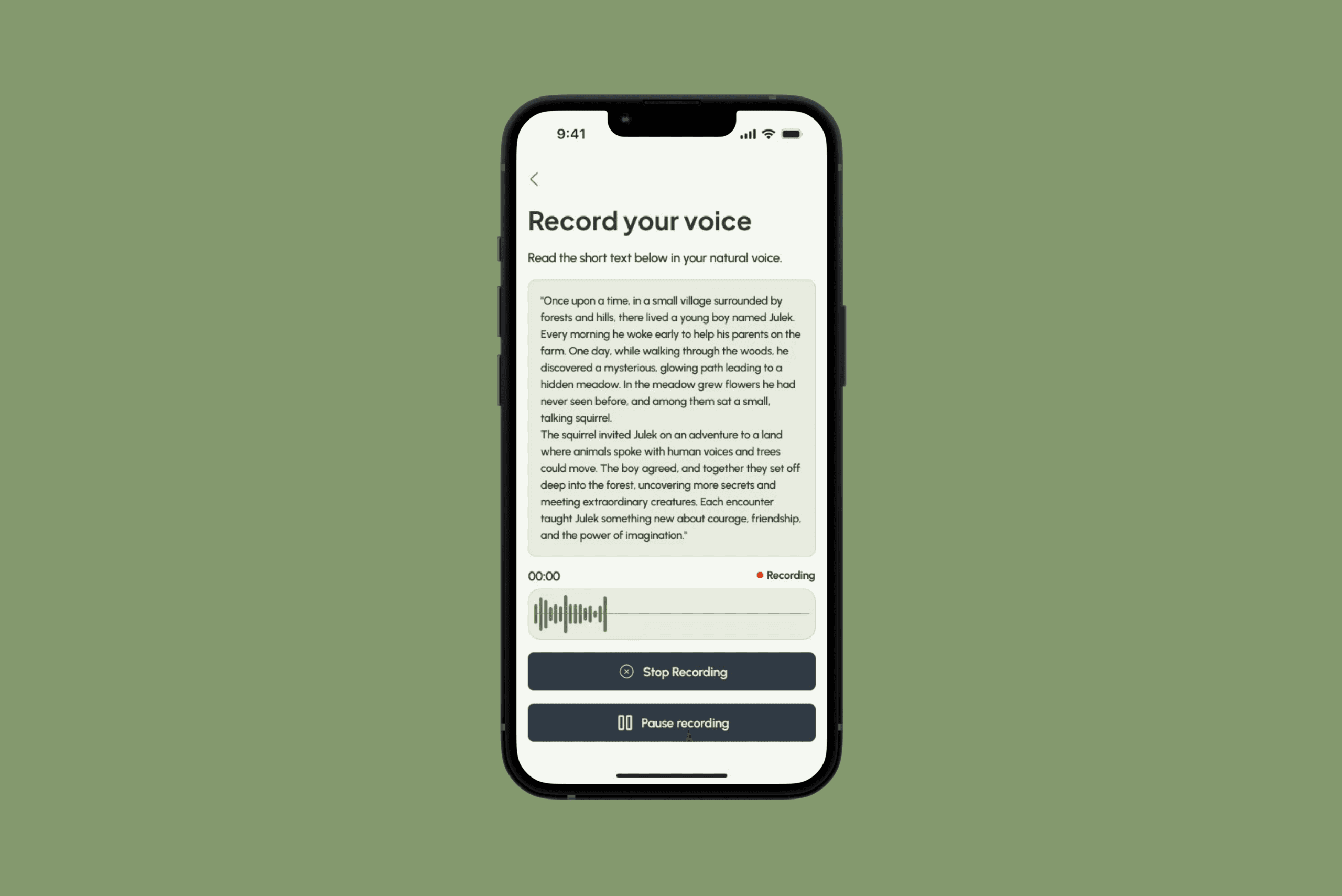
A screen where a parent records a sample of their voice. A moment of speaking into the microphone is enough, and the recording is done once, separately for mom and for dad. It’s the starting point for everything else, because without a sample no story can be created.
QR scanner
A full-screen scanner with a frame is used to add new stories. The parent points the camera at a code on a sticker or the packaging, and the title goes straight into the library.
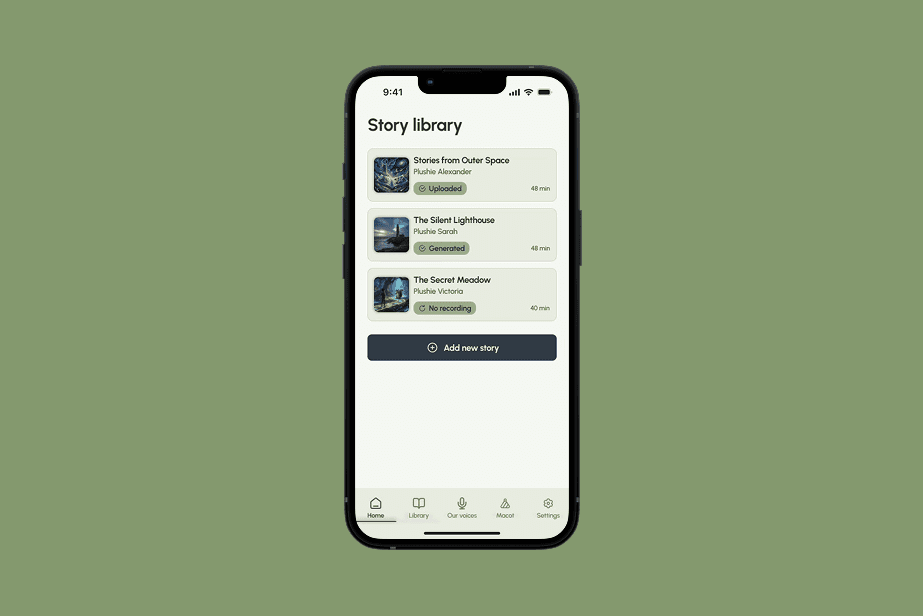
Story library
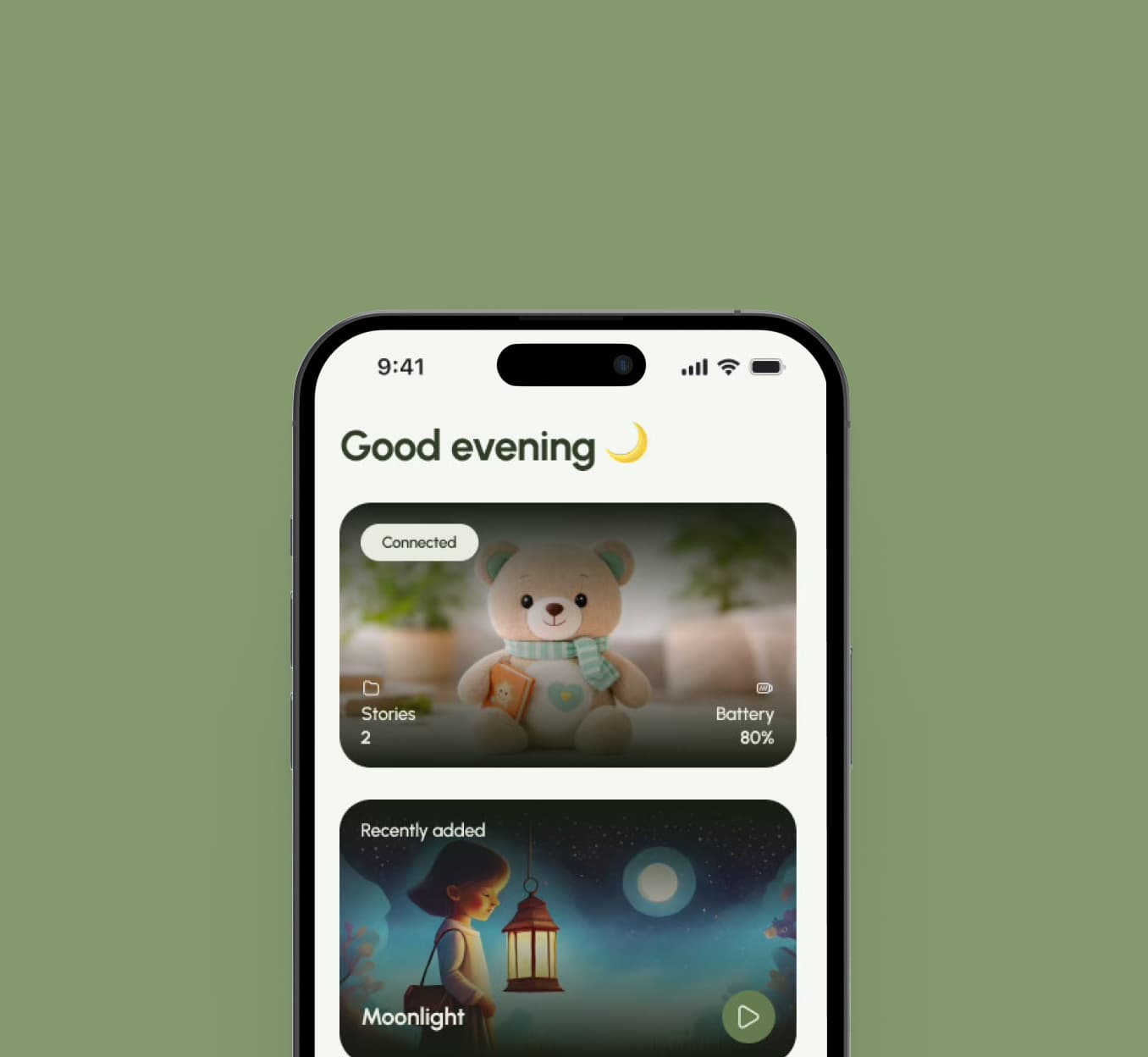
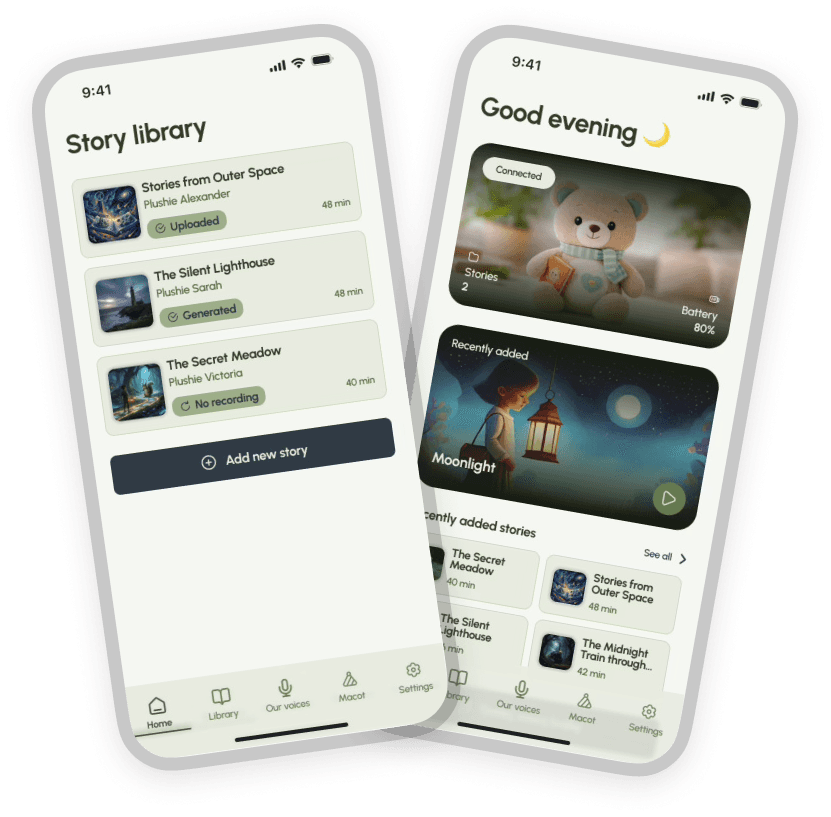
A view of the added titles, each with a cover and a recording ready to play. This is where you pick the story for today. The home screen also suggests the most recently played title, so you can return to it without searching.
Plushie tab
A view from which a story is sent to the physical mascot over Bluetooth. On this screen the app connects to the toy and sends the selected audio.