

Starting June 28, 2025, the European Accessibility Act (EAA) will come into force in Poland. These new EU regulations aim to improve the accessibility of digital products and services for people with disabilities and for all users who may have different needs depending on their situation.
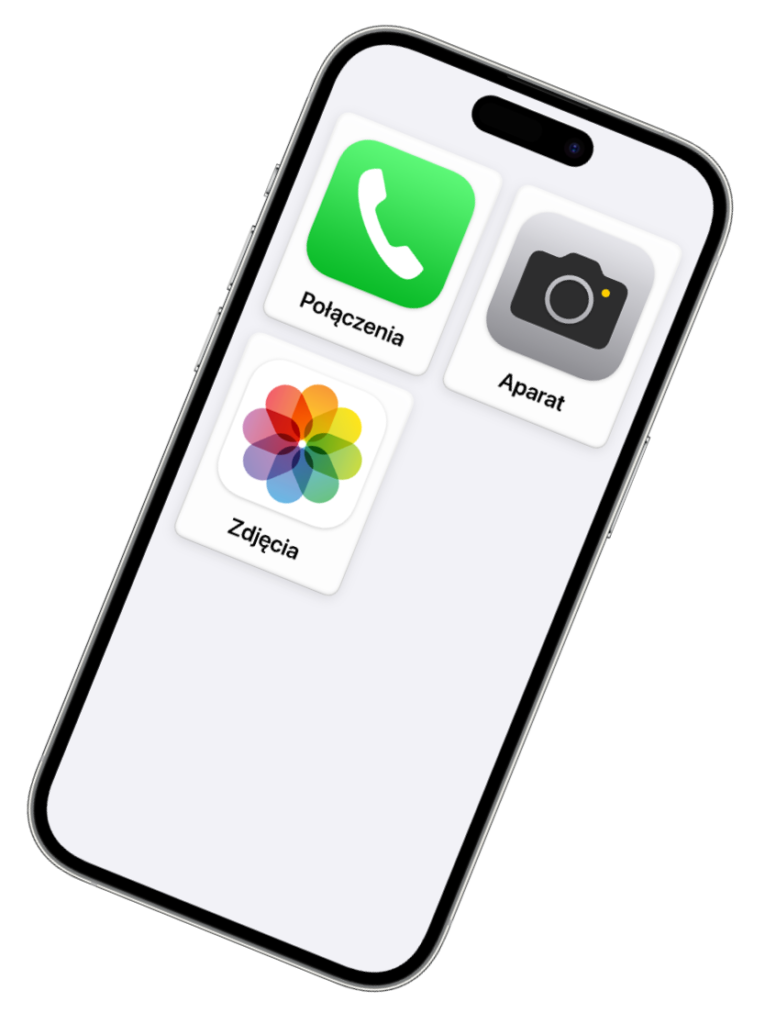
Adapting digital products to the EAA Directive is not only a legal obligation but also an opportunity to enhance UX, expand reach, and build a positive brand image. Apple has long prioritized inclusivity, incorporating assistive features in iPhones for seniors and users with disabilities – from control aids to intelligent interface adaptation. This approach results in greater customer satisfaction and a competitive advantage.
In this article, we answer questions:
- What is the European Accessibility Act?
- What changes does the EAA introduce for mobile applications, websites, and digital platforms – and what is digital accessibility?
- What benefits come from implementing EAA-compliant changes?
- How can you prepare your digital products to comply with the new regulations?
If you want to avoid issues arising from non-compliance with these new regulations, familiarize yourself with the key information and act in advance.
What is the EAA Directive?
The European Accessibility Act (EAA) is an EU directive, officially known as Directive (EU) 2019/882 of the European Parliament and the Council. Its primary goal is to eliminate accessibility barriers in products and services essential to daily life.
Digital accessibility and good UX should be the foundation of digital product design. Intuitive, user-friendly interfaces that cater to diverse needs not only meet legal requirements but also enhance customer satisfaction and make your services more accessible to all users.
According to 2023 data, one in four people in the European Union has a disability. While this may seem like a small segment of your audience, in reality, it represents over 100 million potential customers across the EU.
Imagine a person with a disability posting on social media about the inaccessibility of your product. The post quickly goes viral, and your company is associated with poor accessibility for years. You wouldn’t want your brand to be linked to inaccessibility, right? That’s why digital accessibility is crucial for building a positive reputation and customer loyalty.
What is digital accessibility?
Digital accessibility means designing products and services to be usable by the widest possible audience, regardless of disabilities. Key accessibility principles are based on the Web Content Accessibility Guidelines (WCAG), which cover aspects such as content, navigation, interaction, and multimedia to ensure that websites, applications, and other digital resources are accessible to people with various disabilities.
1. Perceivability
For your digital products to comply with the European Accessibility Act (EAA), information must be presented in ways that can be perceived through multiple senses. What can you do to enhance perceivability?
- Add alternative text to images and graphics – Alternative text helps visually impaired users understand images through assistive technologies and provides additional context for all users who may have difficulty interpreting visuals.
- Provide text transcripts for audio and video materials – Transcripts help people with hearing impairments understand audio or video content. They are also useful in noisy environments where users prefer to read rather than listen.
- Ensure proper color contrast – Adequate contrast between text and background improves readability, especially for users with vision impairments. According to WCAG, the minimum recommended contrast is 4.5:1 for regular text and 3:1 for large text.
- Use a logical content structure – Headings help screen reader users navigate content quickly. Bullet points and numbered lists make information more organized and readable.
- Ensure responsiveness – Responsive design ensures that content and UI elements remain clear and functional across different devices, benefiting users who rely on screen readers on smartphones, tablets, or laptops.
You want to make sure that your application meets the EAA requirements? We will check it for you and adjust it to the new regulations.
Let’s talk2. Functionality
Well-designed functionality improves user experience and comfort. Interactive elements of your app or website must be accessible to all users, including those using assistive technologies:
- Ensure that the website is navigable using only a keyboard.
- Avoid flashing content that could trigger seizures or cause discomfort.
- Use clear and descriptive links and page titles – instead of “Click here,” use meaningful descriptions like “Download PDF report.”
- Simplify navigation by adding buttons like “Skip to content” or “Back to top” to help users quickly find the information they need.
3. Understandability
For your digital products to be easy to use and understand, content and functions should be intuitive and predictable:
- Use simple language – communicate clearly and avoid complex expressions.
- Explain abbreviations and acronyms – instead of leaving users guessing, provide full explanations, especially for less common terms.
- Provide clear error messages – inform users about form errors in a straightforward way, indicating what needs to be corrected (e.g., “Enter a valid email address”).
4. Robustness
To ensure accessibility for all users, digital content must be stable and compatible with various technologies. Key steps include:
- Use HTML that adheres to standards – Well-structured code with clear headings, properly labeled buttons, and alternative text for images makes content more accessible to screen readers and assistive technologies.
- Test compatibility with screen readers – Verify accessibility using popular screen readers like VoiceOver (iOS), TalkBack (Android), or NVDA (Windows) to ensure content is correctly interpreted.
What Are the Benefits of Compliance with the EAA Directive?
Compliance with the EAA is an investment that brings both reputational and financial benefits while ensuring full accessibility for all users:
- Equal opportunities – Making products accessible expands your user base to include people with disabilities, granting them full access to your services.
- Greater reach – Adapting your application or website to EAA standards allows you to engage new customer groups with diverse needs.
- Higher user satisfaction – Accessibility ensures a better UX, benefiting not only people with special needs but all users.
- Stronger brand image – Commitment to inclusivity portrays your company as responsible and customer-oriented, fostering trust and loyalty.
- Avoidance of penalties – Non-compliance can lead to legal and financial consequences.
How to adapt to EAA Directive requirements?
1. Conduct an Accessibility Audit
Start by assessing the current accessibility status of your products and services. Use tools like the Web Content Accessibility Guidelines (WCAG) to understand the standards you need to meet.
If you don’t want to go through this process alone, let us handle it! We will conduct an audit and adapt your products to EAA requirements.
2. Implement Necessary Changes
Based on the audit results, develop an action plan, which may include:
- Improving contrast levels for better readability.
- Adding alternative descriptions to images and graphics.
- Updating website/app code to meet accessibility standards, ensuring better compatibility with assistive technologies like screen readers.
3. Build Team Competence
Ensure that your designers and developers understand digital accessibility principles and can apply them in their daily work. If you want this process to be smooth and error-free, let our experts handle it – we will train your team and help implement best accessibility practices.
4. Maintain Compliance
Regularly check that your products and services continue to meet EAA requirements. When introducing new features, always design them with accessibility in mind.
Conclusion
Adapting products and services to the EAA Directive is not just about meeting legal requirements – it’s a demonstration of empathy and social responsibility. It shows that you care about all users, regardless of age, health, or temporary limitations.
Non-compliance can result in financial penalties and a loss of customer trust. It’s better to prioritize accessibility from the design stage rather than react after issues arise.
Investing in intuitive and user-friendly experiences benefits everyone – leading to broader reach, stronger customer loyalty, and long-term business success.